Avigilon Alta Open
- 4.2
- Rating
- 1.00M
- Installs
- Free
- Price

 Analysis by App-foxy
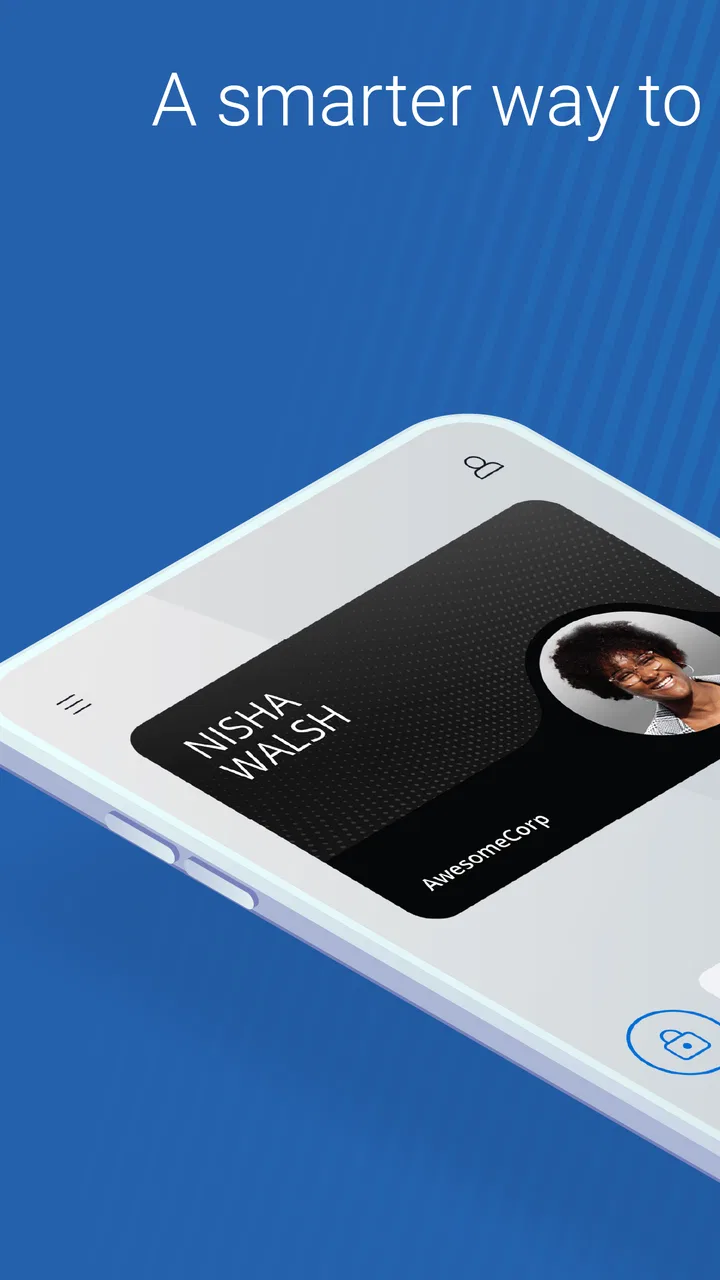
I noticed the appeal of Avigilon Alta Open almost immediately: it turns an access card or key fob into a phone-based way to open supported doors. That sounds like a small change, but it can remove a surprisingly common bit of daily friction—remembering which badge is in which pocket, finding it in a crowded bag, or walking back to a desk because it was left behind. The app comes from Openpath Security, Inc and sits in the business category, so its purpose is practical rather than recreational.
My overall impression is positive, but it depends heavily on where you work and how your organization has configured access. This is not a universal replacement for every key, lock, or building-entry system. It is a companion to an existing Openpath-based access setup. When that setup is already in place, the phone becomes a convenient credential. When it is not, installing the app alone does not create access to a door.
The app is free to download and rated for Everyone, which makes it approachable for employees, contractors, and visitors who need a straightforward mobile access tool. Its current version is 3.5.2, and it has been available since January 3, 2018. With more than half a million installs, an average rating of 4.2 from roughly three thousand ratings, and hundreds of written reviews, it has clearly found a practical audience rather than being a novelty experiment.
You May Also Like

 Blood Strike: 2.5 Anniversary
Blood Strike’s Loadouts Turn Every Drop Into a Tactical Gamble
A close look at Blood Strike’s custom loadouts: how fast access to signature weapons reshapes its battle royale rhythm, rewards preparation, and narrows the gap between fights.

 Pandora - Music & Podcasts
Pandora’s Music Is Easy to Start, but Harder to Recover
Pandora’s strength is its low-effort path from a seed to a station. Its weak spot is how much confidence it asks you to place in connection, setup, and quiet recovery.

 8 Ball Pool
 Is Built on Rivalries, Rematches, and Routine
A close look at the rivalries, rematches, shared routines, and unanswered safety questions that turn a quick pool match into a persistent mobile community.

 Samsung Music
’s Quiet Strength Is Playing What You Already Own
Its reach comes less from spectacle than from dependable access to a personal library. That simplicity is both the app’s strongest retention engine and its ceiling.

 AccuWeather: Weather Radar
AccuWeather Review: A Quick, Clear Forecast for Everyday Decisions
For everyday plans, the best forecast is the one you can understand quickly. AccuWeather makes rain timing, radar, and local conditions easy to act on, with a few trade-offs.

 Hill Climb Racing
Why Hill Climb Racing Still Turns Crashes Into One More Run
A tiny car, a bumpy hill and one more upgrade: Hill Climb Racing keeps resurfacing because its simple chaos makes every near-miss feel personal.
More From Our News Desk



What feels useful during the first week
During the first few days, the strongest benefit is convenience. Instead of treating access as a separate object, I can keep it alongside the phone I already carry. That matters most during ordinary transitions: arriving at the office with coffee in one hand, moving between controlled areas during a busy day, or entering a workplace after switching bags. The phone is usually easier to locate than a small access card.
The first-week experience also changes how I think about forgotten credentials. A traditional badge can be left on a desk, inside a jacket, or at home. A phone-based credential reduces that particular problem, although it does not eliminate the need to keep the phone charged and available. That trade-off is important: the app simplifies one part of access while making the phone itself more central to the routine.
A realistic example is a consultant visiting an office several times a week. Instead of collecting a temporary card at reception for every visit, the person may be able to use the mobile credential already associated with the workplace arrangement. The convenience is not just the few seconds saved at the door. It can also mean fewer interruptions for reception staff and less dependence on a physical item that must later be returned.
I also like the psychological simplicity of having one less object to manage. People are accustomed to checking for their phone before leaving home, so adding access to that existing habit can feel natural. It is less appealing for someone who deliberately keeps their phone away during work or who dislikes using a personal device for employer-related tasks.
The app’s store summary, “Open doors with your phone!”, captures the central idea without needing much explanation. In practice, the important question is not whether the concept is understandable; it is whether the doors a person actually needs are connected to the organization’s Openpath system and whether that person has been granted permission. The application cannot substitute for the administrator’s setup.
That dependency is the first thing I would clarify before recommending it. If a workplace has already adopted the platform, the app can be a useful daily tool. If someone downloads it hoping to open a normal apartment, office, or gate independently, the experience will be disappointing. The app is not a general-purpose digital key that works with unrelated locks.
Where the phone credential beats a badge
The biggest advantage over a conventional badge is habit alignment. Most people already protect and check their phone repeatedly, while an access card may disappear into a wallet or laptop sleeve. For employees who move between several controlled entrances, keeping the credential on the same device can make the routine feel less fragmented.
There is also a useful distinction between occasional inconvenience and repeated inconvenience. A badge is perfectly adequate when a person enters one door once a day. The phone-based approach becomes more valuable when access happens frequently or when carrying extra items is a nuisance. A facilities worker, office manager, or employee moving between shared work zones is more likely to notice the benefit than a remote worker who rarely visits the building.
Still, I would not call the phone automatically superior. A physical credential can be handed to another person, stored separately from a personal device, and used without worrying about phone battery life. Some workplaces may also prefer clear separation between personal technology and company access. The right choice depends on the organization’s security habits and the employee’s comfort, not just on the novelty of opening a door with a phone.
Why the value either lasts or fades after the novelty
After the first month, the novelty disappears, which is actually a good test. A useful access app should become nearly invisible. If I stop thinking about the app and simply use the phone when I arrive, that suggests it has earned a place in the routine. Its long-term value comes from repeated small conveniences rather than from a large feature set.
For a regular office user, the benefit can remain steady because the underlying task never changes: arrive, authenticate through the supported system, and enter the areas already assigned to the user. The app does not need to entertain or constantly introduce new functions. Its success is measured by whether access feels dependable and less cumbersome than carrying a separate credential.
The business context matters here. A company with frequent staff changes, multiple work locations, or many temporary users may find mobile credentials easier to integrate into its access workflow than a system based entirely on issuing and collecting physical cards. From the employee’s perspective, that administrative advantage may be invisible, but it can still improve the overall experience when access permissions need to be managed.
I would be careful, though, not to confuse the app with the complete access-management service. The quality of the experience depends on the doors, readers, account provisioning, and policies behind it. If a permission is wrong or an entry point is not configured correctly, the phone app cannot solve that by itself. This is one reason the app may feel excellent for one employee and frustrating for another in the same building.
Compared with ordinary alternatives, the app occupies a middle ground. It is more convenient than a badge for people who already rely on their phone, but less independent than a physical key because it requires a compatible access environment. It is also different from a broad smart-home app: the focus is business entry, not controlling a collection of unrelated household devices.
That comparison helps define who should keep using it. I see lasting value for employees who enter supported offices often, people who regularly misplace access cards, and organizations that want credentials managed through a connected system. I see much less value for someone who visits a building rarely, carries a reliable badge without inconvenience, or has no reason to use an Openpath-enabled door.
Small workflow choices that make a difference
One practical habit is to treat the phone as part of the access kit rather than as an optional backup. Before leaving for work, I would check the same way I check for keys, wallet, and identification. That sounds obvious, but the mobile credential creates a new failure point if the phone is left charging at home or is nearly out of power.
A second useful habit is to pay attention to the difference between a phone problem and an access-permission problem. If the app does not behave as expected, repeatedly tapping the screen may not help. The issue could be the device, the account, the particular door, or the organization’s configuration. Recognizing that distinction makes troubleshooting faster and avoids blaming the app for every failed entry.
A third consideration is shared or borrowed phones. I would not treat this as a casual substitute for issuing the correct credential to another employee. Access is personal and connected to workplace permissions, so lending a phone or allowing another person to use an account can create confusion about who entered an area. The convenience of mobile access should support clear responsibility, not weaken it.
For people who carry both personal and work phones, the choice also deserves thought. Installing the app on the device that is always present may be more useful than installing it on a secondary phone that stays in a desk drawer. On the other hand, some users may prefer keeping workplace access on a dedicated device. The best arrangement is the one that matches the organization’s rules and the person’s daily movement.
Maintenance, friction, and the points that cause fatigue
The maintenance burden is modest, but it is real. A phone credential depends on the phone being charged, functional, and available at the moment of entry. A physical badge can be inconvenient to carry, yet it does not compete with navigation, communication, battery use, or other demands placed on a smartphone.
Account and permission changes are another source of friction. When someone changes roles, offices, or employment status, access needs to reflect that change. The app is only as useful as the administration behind it. If a user expects to fix every access issue inside the app, they may become frustrated when the appropriate solution involves contacting a workplace administrator.
There is also a social maintenance cost. Some people are comfortable using a personal phone for work access; others see it as an unnecessary blending of personal and professional life. An employer may need to explain the process clearly, especially for staff who are not technically confident. The app itself can be simple while the surrounding rollout is poorly understood.
Battery anxiety is probably the most obvious recurring concern. I would not rely on a phone credential as the only plan if entering the building is critical and the phone is regularly allowed to run empty. Keeping an approved alternative available may be sensible, depending on workplace policy. That is not a criticism unique to this app, but it is a meaningful trade-off compared with a physical badge.
Another possible fatigue point is inconsistency between doors. A user may assume that every entrance at a site behaves identically, then encounter a door with different rules or a permission that has not been applied. I would learn which entrances are actually supported and avoid making assumptions based on one successful entry. That small bit of preparation can prevent an awkward moment outside a secured area.
The app is not the right choice for people seeking a standalone access solution. It will not replace a building’s full credential system, create permissions without an administrator, or make incompatible locks suddenly work with a phone. For a small household looking for a smart lock, a dedicated home-access product would be a better match. For a company that needs detailed access administration, the broader Openpath environment matters as much as the mobile application.
How it compares with familiar alternatives
The usual alternative is a badge or key fob. That option remains attractive because it is simple, separate from personal technology, and easy to issue. Its weaknesses are physical loss, extra clutter, and the need to replace or collect the item. The app reverses that balance: less to carry, but more dependence on a phone and on digital account management.
Another alternative is relying on reception or a security desk for temporary entry. That may work for occasional visitors, but it is inefficient for regular staff and creates a repeated administrative task. A mobile credential can make recurring access feel more self-service, provided the user has already been properly authorized.
Keys are different again. A key offers direct control over a compatible lock and does not require an app account, but it is limited to the locks it physically fits and can be difficult to manage across a larger workplace. The phone approach is more adaptable within a managed business system, while a key remains more independent from batteries, software, and organizational accounts.
For me, the deciding factor is frequency. If I enter a supported workplace several times each week, the convenience compounds and the app feels worthwhile. If I enter once every few months, the setup and phone dependency may not justify changing from a badge or visitor process. That is the clearest long-term trade-off.
My long-term verdict on Avigilon Alta Open
Avigilon Alta Open earns lasting space when it removes a repeated access annoyance. I would recommend it to people whose organizations already use the compatible Openpath system and who prefer carrying a phone instead of a separate credential. The free price and Everyone age rating make it easy to try, while its business focus keeps the experience centered on a clear task rather than a crowded collection of unrelated tools.
My recommendation comes with one condition: judge it as part of a managed access arrangement, not as a magic key app. Before depending on it, I would confirm that the needed doors are supported, that the account has the correct permissions, and that there is a sensible backup plan for a dead or unavailable phone. Those checks address most of the practical disappointment users might otherwise encounter.
The app’s rating of 4.2 and its substantial install base suggest that many users find the basic idea useful, but numbers alone do not determine whether it belongs in your routine. The strongest evidence is personal: does it save you repeated effort every week? If yes, the small dependency on your phone is probably a fair exchange. If not, a badge may remain the simpler and more durable option.
After the novelty fades, I do not expect this app to demand much attention—and that is its best quality. It is most successful when it becomes a quiet part of arriving at work, not another service I need to manage constantly. For the right workplace, that low-profile convenience is enough to justify keeping it installed. For everyone else, especially people without compatible doors or with strong reasons to separate work access from their phone, skipping it is the more sensible decision.
FAQs for Avigilon Alta Open
01What is Avigilon Alta Open and what are its main features?
Avigilon Alta Open is a state-of-the-art security app designed to enhance surveillance capabilities. It offers features like real-time video monitoring, advanced analytics, and remote access to security footage. The app integrates seamlessly with existing security systems, providing a comprehensive solution for both small and large-scale security needs.
02Is Avigilon Alta Open compatible with all devices?
Avigilon Alta Open is compatible with both Android and iOS devices. It supports a wide range of smartphones and tablets, ensuring that users can access their security system remotely. However, it is recommended to check the specific system requirements on the app's download page to ensure optimal performance.
03How secure is the Avigilon Alta Open app?
The Avigilon Alta Open app prioritizes user security with features such as end-to-end encryption and secure login protocols. The app regularly updates its security measures to protect against potential vulnerabilities. Users are encouraged to keep their app updated and use strong passwords to enhance security further.
04Does Avigilon Alta Open require a subscription or additional fees?
The app itself may be available for free download, but certain features might require a subscription or in-app purchases. These premium features could include advanced analytics, additional storage, or enhanced support. Users should review the app’s pricing model on the official download page for detailed information.
05How user-friendly is the Avigilon Alta Open interface?
Avigilon Alta Open is designed with a user-friendly interface that caters to both tech-savvy users and beginners. Its intuitive layout allows for easy navigation, with clearly labeled menus and straightforward controls. The app also provides guides and support to help users make the most of its features.
Pros
- User-friendly interface and navigation.
- Real-time alerts for quick responses.
- Seamless integration with existing systems.
- High-quality video resolution and clarity.
- Comprehensive security features included.
Cons
- Requires stable internet for optimal performance.
- Limited offline functionality.
- Subscription-based advanced features.
- Initial setup can be time-consuming.
- Compatibility issues with older devices.

Avigilon Alta Open
Gallery